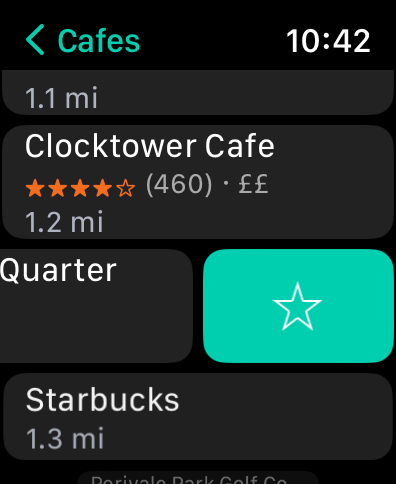
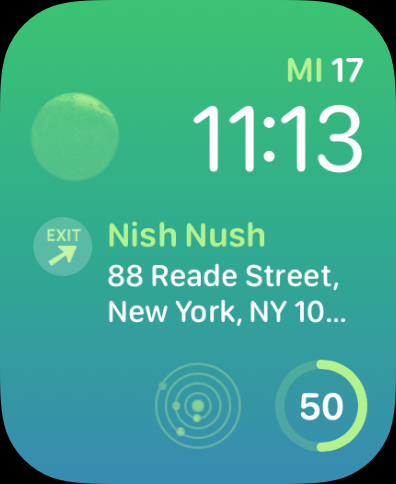
 We’ve got some new content in Where To? 13.2.4: We added gluten-free restaurants and five more micromobility providers across the globe: Link/Superpedestrian (🇦🇹, 🇪🇸, 🇮🇹), Rhein Bike (🇩🇪), KobOO (🇫🇷), Kotobike (🇯🇵) and GO2 (🇸🇦).
Plus, we’ve fixed a few more bugs.
Download the Where To? 13.2.4 update.
 The latest Where To? 13.2 update adds several improvements. You can now share all your favorite places in one go. The receiver can choose to replace or merge the favorites on import.
For directions, we now support the Scenic motorcycle navigation app. And in terms of shared bikes and scooters we added the following providers:
We added the categories “Key Duplication”, “Engineering Services“ (both under Services) and “Special Education”.
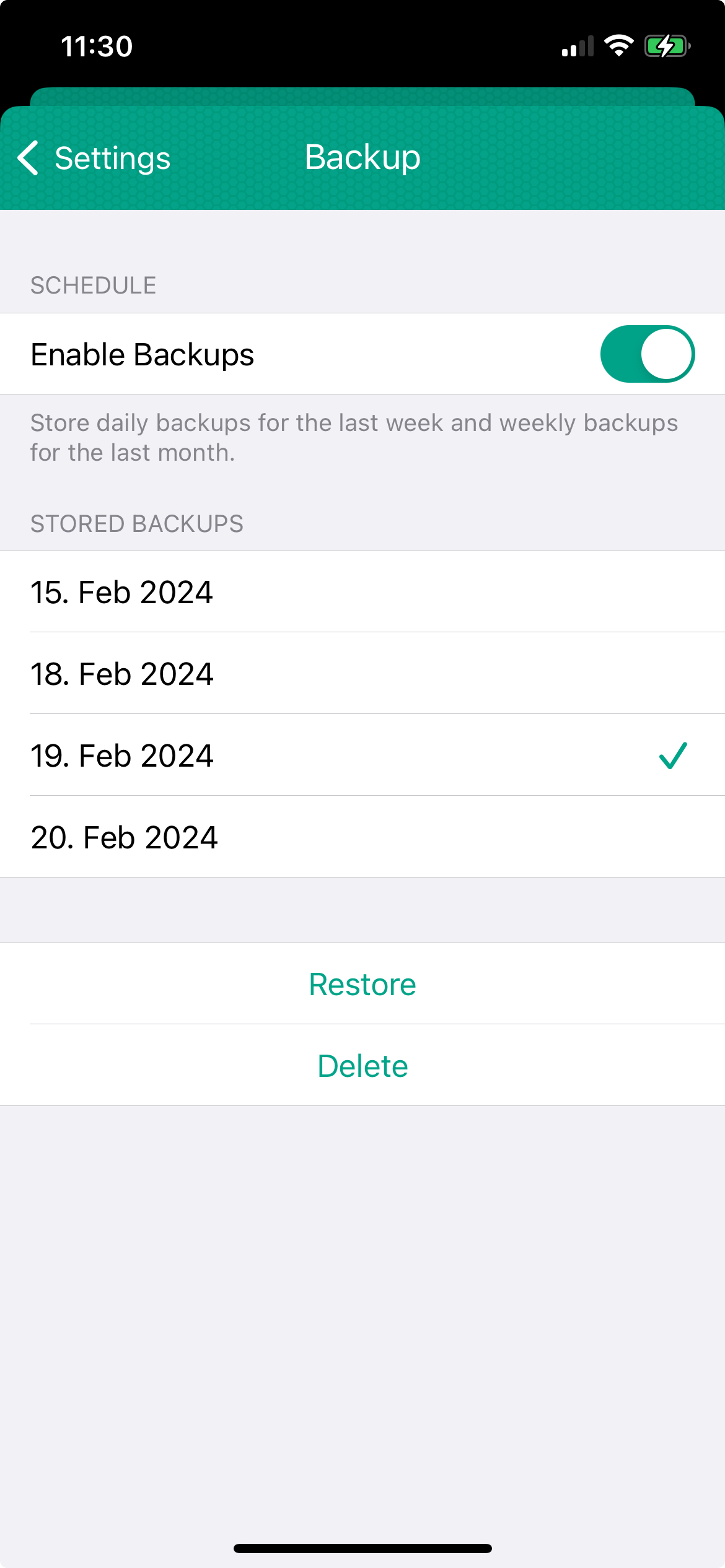
Favorite places and collections are now backed up automatically. So no regret if you’ve accidentally deleted a place. Just restore your places and collections from one of the backups. To be safe, you can choose to merge or replace your existing favorites and collections. We also improved the syncing of favorite places and collections via iCloud, beautified the settings screen and fixed several issues.
Download the Where To? 13.2 update.
Imagine you’re having a date night. Wouldn’t it be nice if you could create a calendar event for the restaurant or café where you want to meet? Well, with Where To? 13.1 you can. By popular request, we added an action for the share sheet: “Create event” allows you to add a calendar event for the current place. The suggested time slot is calculated to be within the opening hours. The calendar entry also includes a Where To? link to let you view all the details about the event location.
If you prefer to use the Reminders app, just use Siri: Say
”Remind me about this”
while you’re viewing a place. And Siri creates a reminder that is linked to the Where To? place.
Download the Where To? 13.1 update.
 Streets 4.7.2 is available. We fixed some bugs including a visual glitch on iPhone models with Dynamic Island.
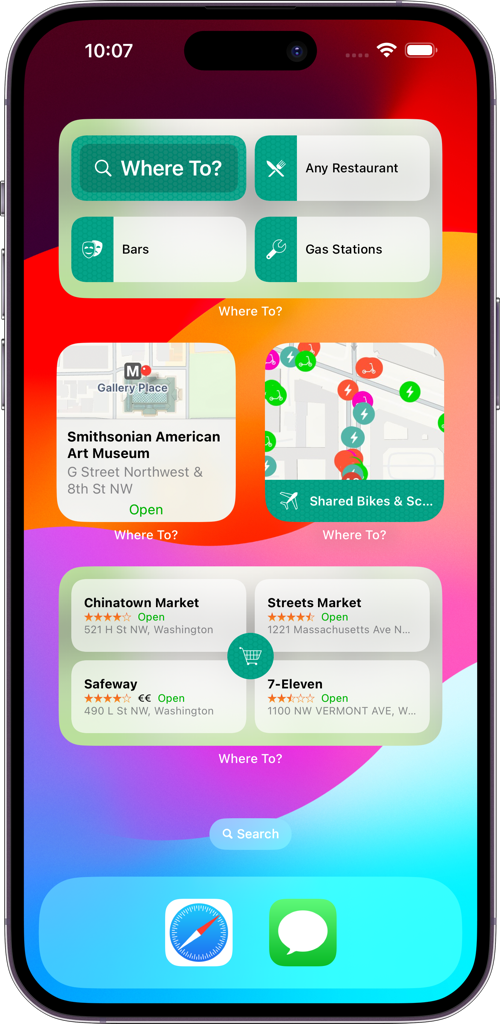
We rolled out a major Where To? update featuring expanded widget options. Where To? 13 focuses on user customization through interactive widgets and enhanced navigation capabilities, providing a personalized and interactive experience right from the home and lock screens.
 Widgets Galore:
- “Quick Search” is an interactive widget that lets you configure three favorite categories that you can access directly from your home screen. In addition to that, you can access the search field with one tap.
- “Place Details” is another interactive widget that shows the details of four or eight places, depending on the size of the widget. You can choose to show the nearest favorites, the last viewed places, the nearest places of a selected category or from a collection.
- Finally, the new lock screen widget lets you launch Where To? with a selected category right from your lock screen.
Directions and Micromobility Scene:
- Support for six new directions apps: TomTom AmiGO, S-Bahn Berlin, München Navigator, Ticket NRW, VRN Ticket, VVS BWeit
- Added support for 26 new micromobility providers for even more bike and e-moped sharing options: Check (🇳🇱), VéloZef, Yélo, Les Petites Reines, Vélibéo, Vélo d’Aquí, Cycl’AM, Karu’Vélo, Vélo Modalis (🇫🇷), Bici Bolzano (🇮🇹), Bizkaibizi, MIBISI, BiciLog, Bicielx, Bicisanvi, Bikenmedio, Gbici, Avilés en Bici, BiBa, Bicibur, BiciNRivas, Bicicas (🇪🇸), BiciCuenca (🇪🇨), En la Bici (🇦🇷), AAR Bike (🇹🇷), MEVO (🇵🇱)
Smooth Sailing
The update also includes bug fixes and performance optimizations to ensure a smoother user experience.
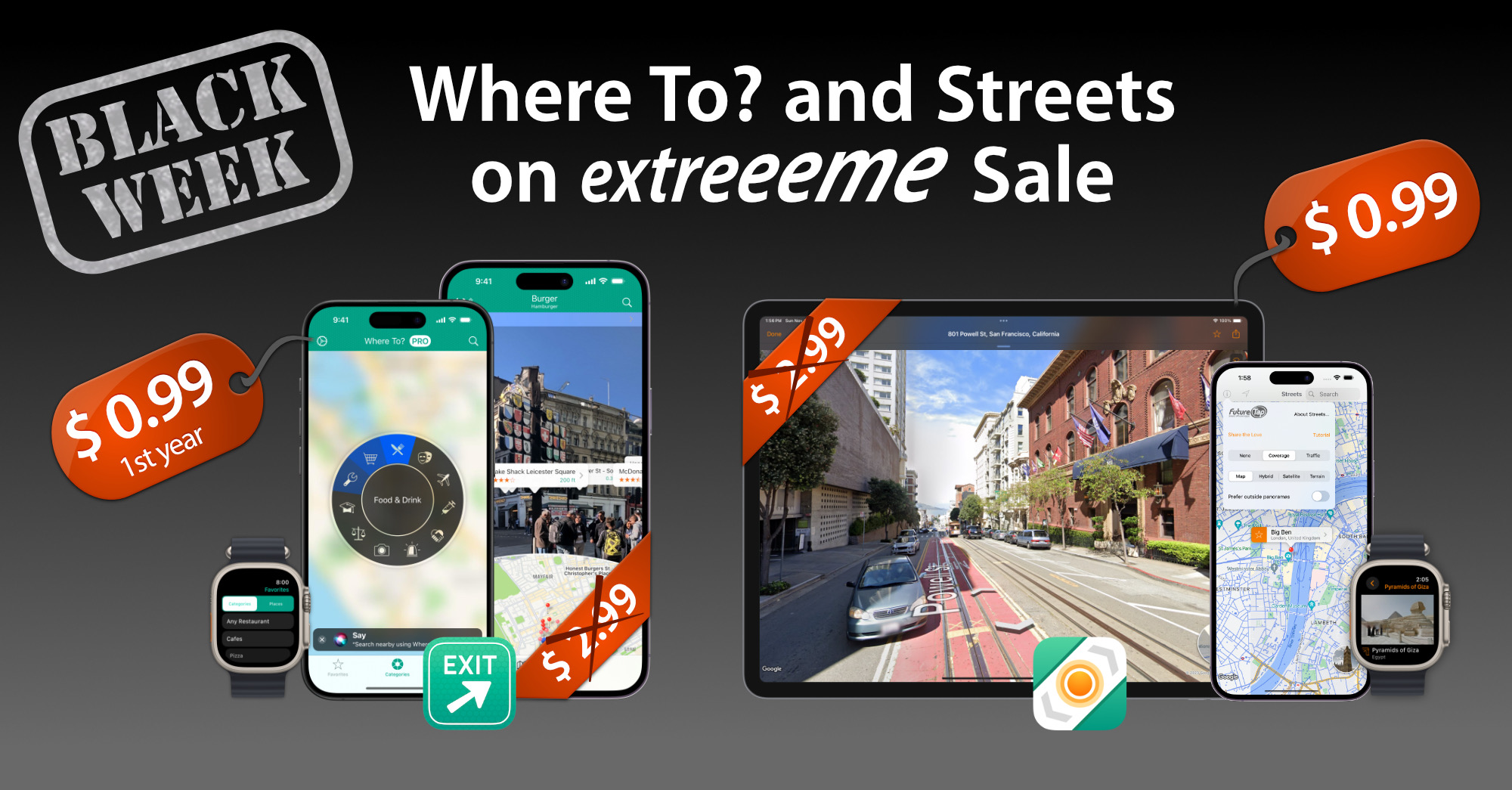
Now, let’s talk about the real party – the Black Week sale! 🎉 We’re hooking you up with mad discounts:
- Where To? PRO subscription: 0.99 $/€ in the first year – that’s 66% off the usual price! Use code BLACK.
- Streets one-time purchase: 0.99 $/€ – that’s 66% off as well! Snap from the App Store.
This Black Week fiesta is going down until November 27, 2023 – don’t sleep on it! 🎊
And remember: Both our apps seamlessly complement each other, allowing you to search for places using Where To? and explore their surroundings and interiors in 360° using Streets.
In Where To? 12.6.4, we added a number of improvements and bug fixes, including an improved Siri support on Apple Watch. You can now say “Search nearby using Where To?” while holding the crown. (Creating a Shortcut is no longer needed!) Siri will then follow up requesting the category you’re searching for.
We also added support for directions using Mapy.cz and the following micromobility providers:
Thanks to Citybikes for providing some of the shared bike data!
Download the Where To? 12.6.4 update.

Where To? is 15 years old! ? What started as just a launcher for the Maps app quickly evolved into a full-fledged location finder app that lets you find, compare, and organize places, as well as navigate to and interact with them. The last 15 years have been an amazing ride, so I’d like to invite you to a time travel visiting Where To?’s major milestones:
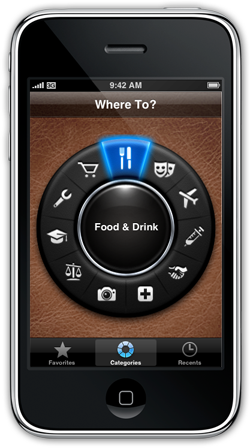
Where To? 1.0 is launched as one of the first 500 apps on the App Store. The first three months of its existence, the app is sold under the tap tap tap brand.
Pulled from the App Store
October 13, 2008
Acquisition
December 16, 2008

FutureTap acquires the Where To? app with all its assets for $70,000. The app is available again in the App Store including a German localization.
The App Store crosses the mark of 10,000 apps.
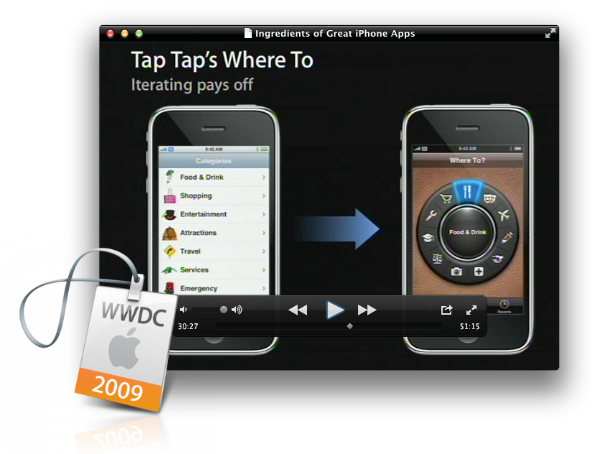 Where To? is featured in various sessions at WWDC 2009 & iPhone TechTalk World Tour for its nice, tactile user interface design.
Built-in map
August 8, 2009
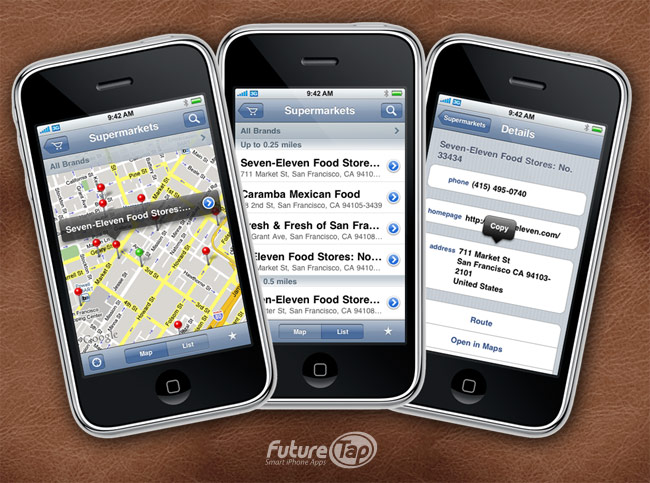
In iPhone OS 3, Apple added MapKit allowing developers to add maps to their apps. Where To? 2.0 immediately jumped on board.
Supporting third party apps
December 4, 2009

As one of the first apps, Where To? collaborates with third party apps starting with Navigon for turn-by-turn directions. Over the course of the years, support for more than 80 different apps has been added, supporting car, bike, pedestrian and public transport navigation. Today, Navigon is no longer available on the App Store.
At this time, the App Store counts more than 100k apps.
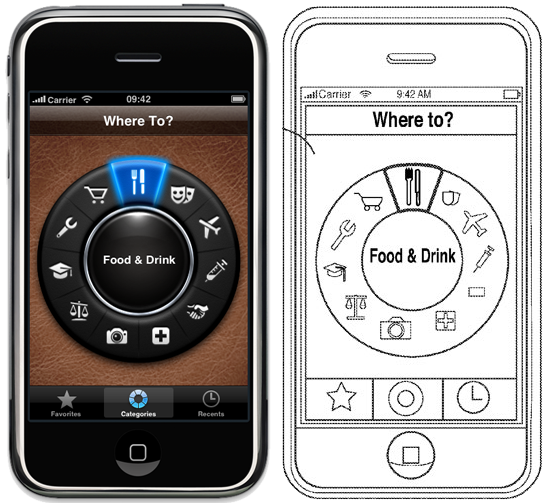
“PatentGate”
August 6, 2010
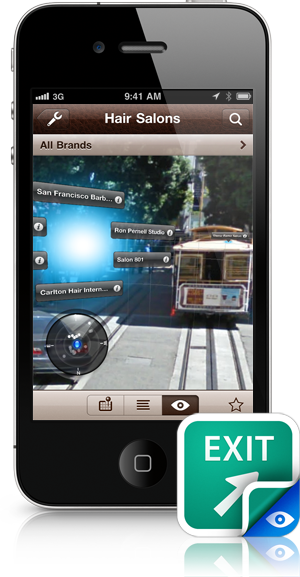
Augmented Reality
January 26, 2011
App Store featuring
August 8, 2011

Apple features Where To? as “App Of The Week” and later that year in “iTunes Rewind”.
Ratings & Reviews
November 12, 2011
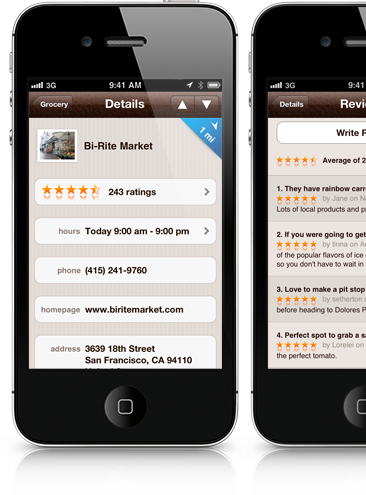
Ratings and reviews are added to place listings in Where To? 4.0.
Favorite Places & iCloud Sync
June 21, 2012
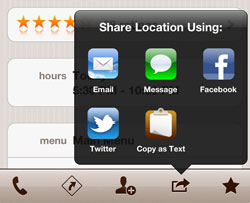
Favorite places, dinner menus, iCloud sync and more is added in Where To? 5.0. A black translucent share sheet is added just months before Apple adds a similarly styled system-wide share-sheet in iOS 6.
Directions
December 19, 2012
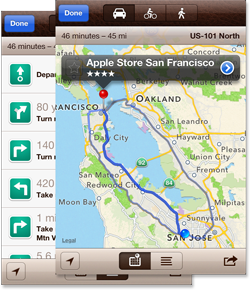
In addition to the ever-growing list of third party navigation apps, Where To? 6.0 comes with built-in directions for car, bike, and pedestrian navigation.
Where To? Gets a Little Sister
February 21, 2013

“Street View” (later renamed to “Streets“) for iPhone and iPad is launched on the App Store.
Send to Car
February 28, 2014
Where To? is the first app (and up til today the only app) to send destination information to car navigation systems. Starting with Audi in Where To? 6.0, Mercedes Benz is added in 6.7, BMW in 7.0 and Porsche just recently.
At the end of 2013, more than 1 million apps are available on the App Store.
Flat UI
September 4, 2014
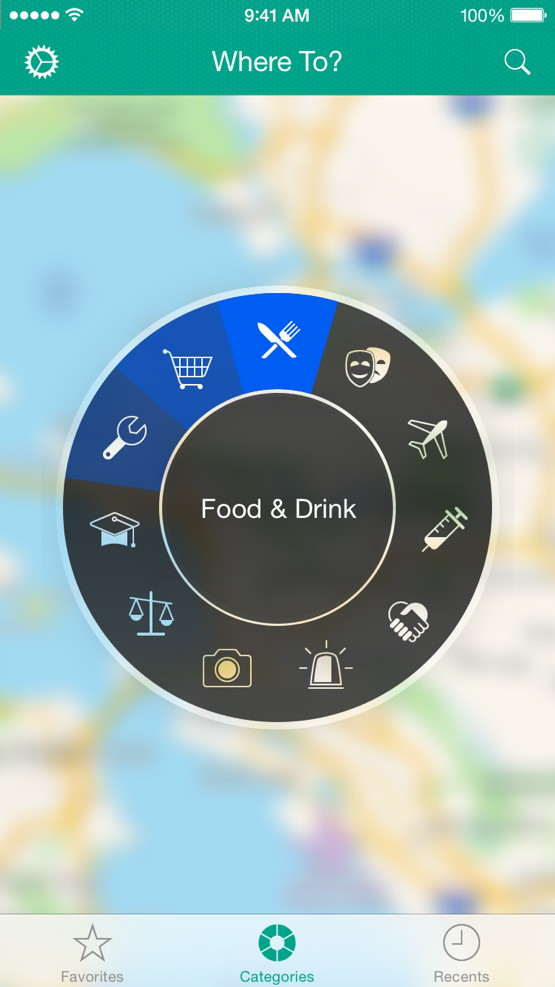
Every brick in the app was turned in a radical UI redesign: The leather theme was replaced by a modern, flat, and fluid UI design, suitable for iOS 7 and beyond. One thing has remained though over all the years since 1.0: the iconic category wheel – we will cherish it!
Pebble App
September 18, 2014

Where To? for Pebble is released. The companion app helps with last mile navigation leveraging the Pebble’s hardware compass. Meanwhile, Pebble was acquired by FitBit and the smart watches are no longer on the market.
Apple Watch App
April 2, 2015
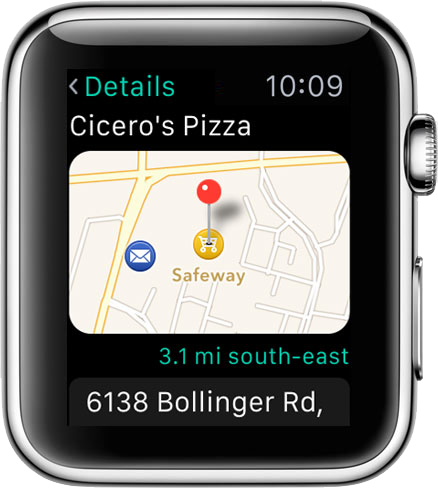
Just in time for the launch of Apple Watch, Where To? is available in a miniaturized version for the new gadget.
Apple Watch takes the smart watch market by storm and independent players such as Pebble soon begin to struggle.
iMessage App
September 13, 2016
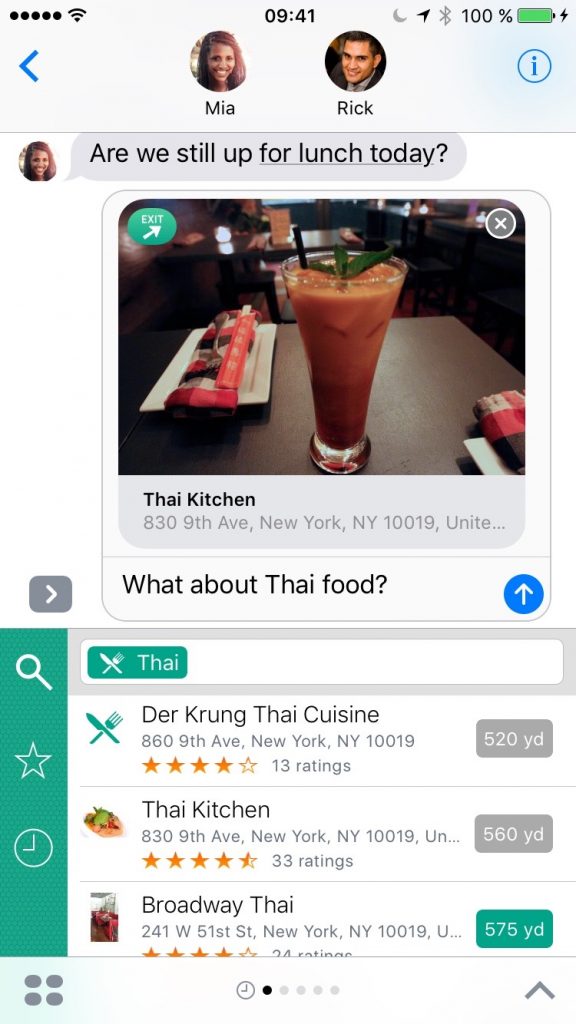
iOS 10 opens up the Messages app for third parties and launches the iMessage App Store. Where To? adds an iMessage app that reduces friction to insert location cards into conversations.
Location Alarms & Table Reservations
November 8, 2017
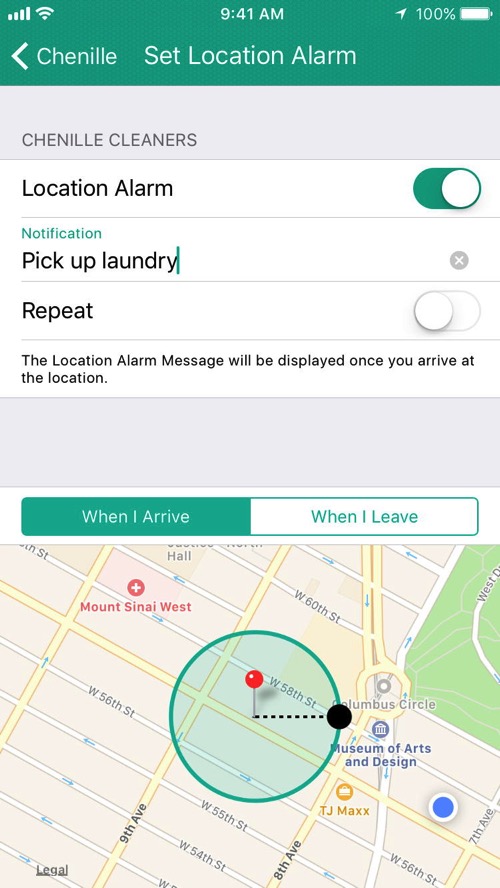
Table (and hotel) reservation and location alarms are added.
Going freemium
July 28, 2021
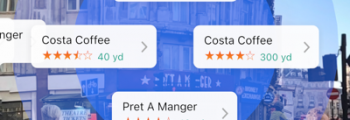
After being a paid app for 13 years, Where To? 11 is now free to download with a PRO subscription. The Augmented Reality view is reimagined using ARKit. Dark mode support and “Open Location in Where To?” for the share sheet are added.
Micromobility
May 20, 2022

Shared bikes and scooters conquer the cities. Where To? 12 shows realtime locations of vehicles from 200+ operators making it greener and more convenient to get from A to B in the city.

Those first 15 years were an amazing journey. And we’ve a ton of great stuff in the pipeline for you. Here’s to the next 15 years!
In Where To? 12.6.1, we added a number of third party public transport directions apps:
We’ve also integrated MOBIX in our bike directions. With MOBIX, users will be rewarded with MOBIX Miles for every bike or scooter trip they take.
In terms of shared bikes and scooters, we continue to expand our coverage and added the following providers with realtime vehicle locations:
Last but not least, the Where To? 12.6.1 update also contains important bug fixes.
In this update, we rewrote the Apple Watch app from scratch in SwiftUI and made these improvements:
- The search UI (previously available only via force touch which is no longer supported on newer Apple Watch series) is now easily accessible by swiping down on the start screen.
- In place lists, you can swipe left to (un)favorite a place
- We added a complication that reflects the last viewed state from the iPhone. So it opens the watch app with the place or category most recently viewed on iPhone. This simulates Handoff which is only available in the other direction (from Watch to iPhone, or from iOS to iOS or Mac).
We also updated the supported micromobility providers and added a few new ones:
The Augmented Reality (AR) view for shared bikes and scooters has been improved, making it easier than ever to locate available nearby vehicles.
Finally, we made several stability and performance improvements as well as bug fixes. Download the Where To? 12.6 update from the App Store.
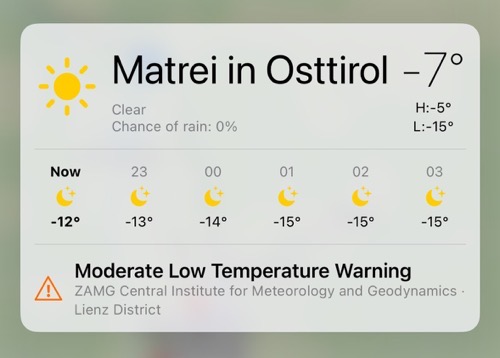 In Where To? 12.5.1, the weather details (long-press on the map weather icon) now show weather warnings.
We also support an additional 23 shared scooter and bicycle providers:
The Where To? 12.5.1 update also contains several small improvements and bug fixes.
Older Posts »